Ask focused questions about your analytics
Use natural language to select an approved analytics report and filters. Inspect the returned data and date range to check the answer.
How to install ↗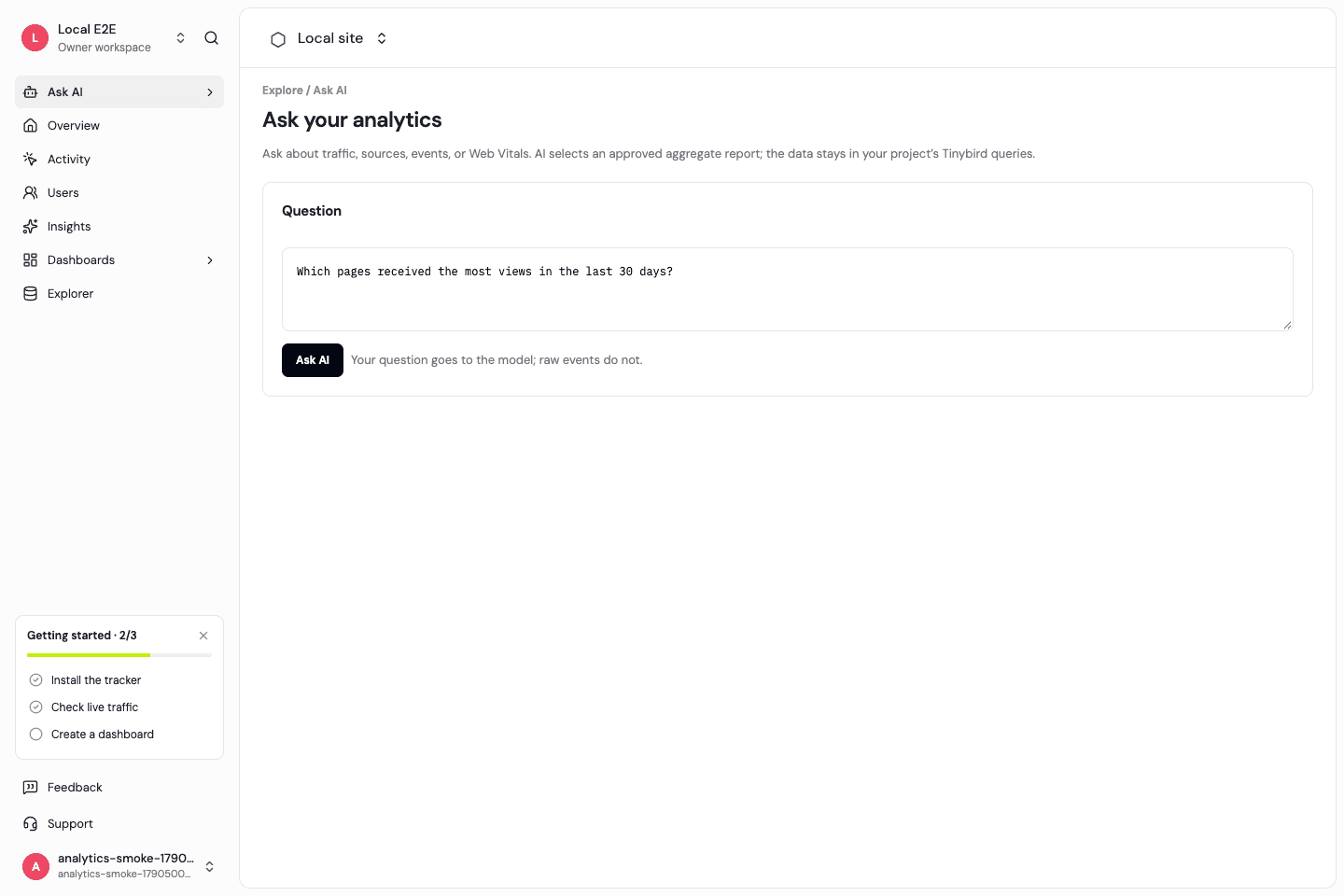
Questions grounded in available reports
Ask about traffic, top pages, sources, custom events, or Web Vitals. The current assistant creates a structured plan over an allowlist of reports, then retrieves project-scoped results.
Review what the assistant used
The response includes the chosen report, resolved filters, and rows. A question outside the approved report scope may not be answerable. Funnel, retention, and arbitrary SQL analysis are not automatically available to Ask AI.
Configure the AI provider
Self-hosted operators must supply an AI provider API key and endpoint. Without that configuration the app returns a clear unavailable state. Hosted provider access and answer quality still need production review.
Bound AI usage separately
The API applies a five-questions-per-minute limit per user in the workspace context. Hosted AI allowances and model costs are separate from customer ARR and visitor allowances and remain to be finalized.
Frequently asked questions
Does Ask AI execute arbitrary generated SQL?
No. It selects from an approved report list and validated filters.
Can I verify an answer?
Inspect the returned report, filters, and rows, then compare with the equivalent dashboard view.
Will it work without an AI API key?
No. Self-hosted deployments must configure an AI provider. The hosted API uses OpenRouter with DeepSeek for approved-report questions; a full conversational agent is not implemented.
Start with a clear measurement model.
Install the SDK, then explore traffic and product activity with the same definitions.