Investigate analytics with read-only SQL
Go beyond the preset reports with a project-scoped SQL Explorer. Use explicit date predicates for repeatable investigations over raw_events.
How to install ↗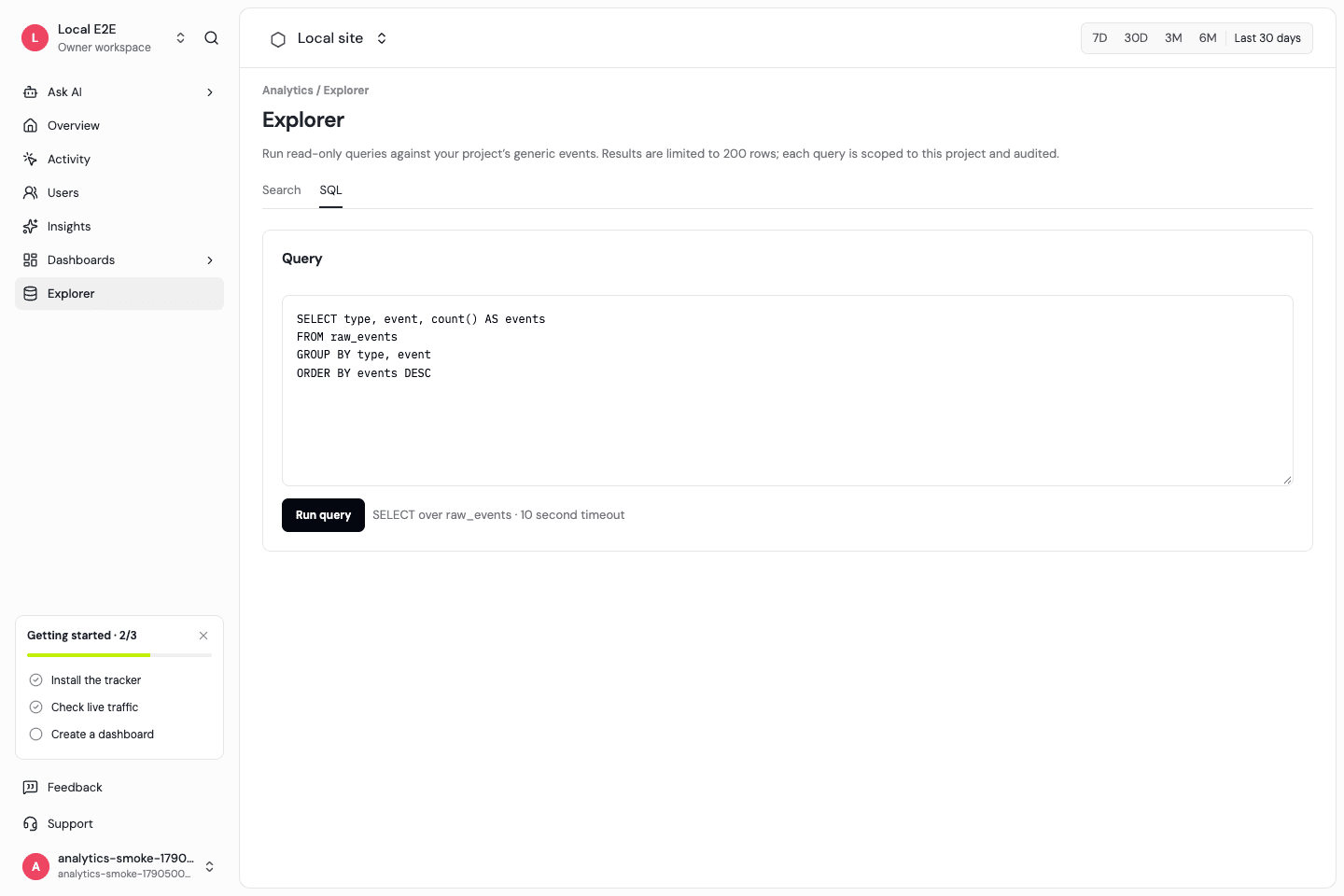
Start with a concrete question
Inspect event names, page activity, revenue properties, or identify events in raw_events. The current SQL credential is scoped to that datasource. Read its schema before querying: event timestamps and daily IDs have different meanings.
Use explicit date boundaries
The current SQL editor sends the query you write; it does not substitute top-bar date variables. Add received_at or original_timestamp predicates explicitly. Keep end-date boundaries and UTC interpretation clear when rerunning an investigation.
Bound the read path
The API accepts SELECT-style investigation and enforces project scope and query limits. It does not grant a browser a Tinybird admin token or permit arbitrary writes to analytics datasources.
Turn findings into recurring reporting
When a question fits a supported metric, create a preset dashboard card. Arbitrary SQL visualization and preset cards are different paths; not every SQL result is a compatible chart dataset.
Frequently asked questions
Can I edit data with SQL Explorer?
No. This is a read-only investigation path.
Can I query another project?
The API binds the query to the authorized project. It is not a workspace-wide unrestricted SQL console.
Does it connect directly from the browser to Tinybird?
The application routes reads through its authenticated API; Tinybird administrative credentials stay server-side.
Start with a clear measurement model.
Install the SDK, then explore traffic and product activity with the same definitions.