Measure performance where visitors experience it
Collect opt-in browser performance measurements alongside traffic. Review LCP, INP, CLS, FCP, and TTFB with percentiles, sample counts, and page breakdowns.
How to install ↗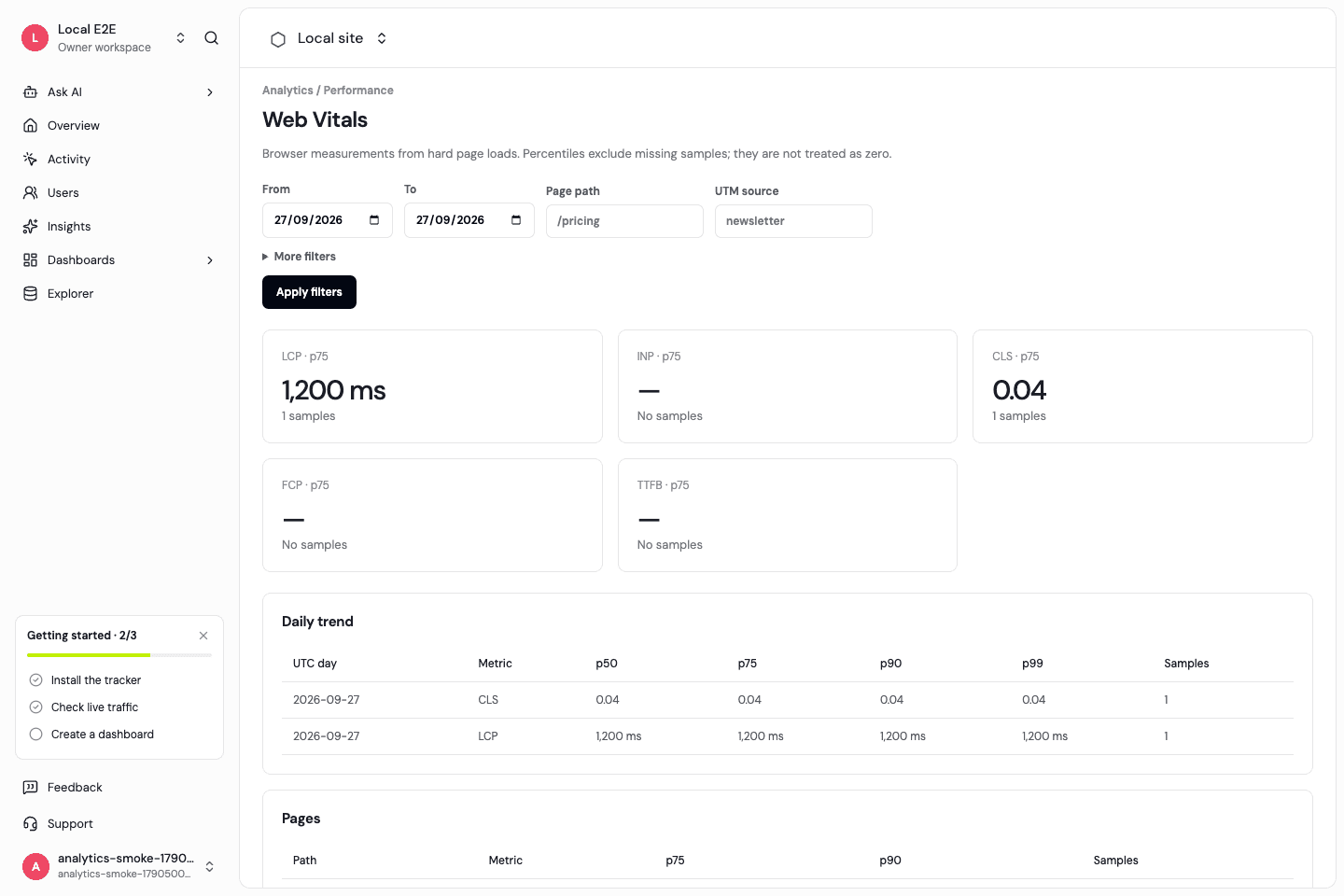
Load performance collection explicitly
Pass the web-vitals module when creating the SDK. No performance module is loaded when you omit it. The current SDK reports measurements from hard page loads; do not interpret them as independent measurements for every SPA route.
After installing web-vitals with npm install web-vitals
import * as webVitals from 'web-vitals';
const analytics = createAnalytics({
  writeKey: 'YOUR_SDK_WRITE_KEY',
  endpoint: 'https://api.your-domain.com',
  webVitals,
});
Percentiles need samples
View p50, p75, p90, and p99 with sample counts. Missing measurements are excluded from percentile calculations, not treated as zero. An INP sample may be absent when no qualifying interaction occurs.
Find affected routes
Filter reports by page and request context, compare route performance, and follow the time series. Add Web Vitals cards to a site-performance dashboard next to pageview trends.
Separate field and lab measurements
Real-user measurements describe observed browsers; a lab test describes a controlled run. Use both when diagnosing a change. These reports are not themselves a promise about search rankings.
Frequently asked questions
Are Web Vitals enabled automatically?
No. Supply the optional web-vitals module.
Do Web Vitals measurements affect the plan?
Plans are based on customer ARR with monthly visitor allowances. Web Vitals are diagnostics, not an event-priced add-on.
Why is a metric blank?
There may be no valid samples in the selected date range or filters. Missing data is not a zero score.
Start with a clear measurement model.
Install the SDK, then explore traffic and product activity with the same definitions.